The easiest way
to run OpenClaw
We host OpenClaw for you in the cloud. VPS, desktop, security — all automated. Only CloudClaw gives you browser-based GUI access.
🦞 Powered by OpenClaw — real demo footage
Just open your browser,
your own desktop
Access your cloud desktop directly from your web browser — no installation needed.
No installation
Access instantly from your browser — just a URL is all you need.
Access anywhere
Laptop, tablet, any device — if it has a browser, you're good to go.
Full desktop experience
macOS-style UI with full mouse & keyboard support. Just like a real desktop.
Why CloudClaw?
You can run OpenClaw on any VPS. But CloudClaw is different.
First to include GUI access
Other services just give you a VPS and call it a day. CloudClaw is the first OpenClaw hosting service that lets you access a macOS-style desktop right from your browser.
Gateway authentication
No unauthorized access to your OpenClaw dashboard. CloudClaw Gateway ensures only authenticated users can connect.
Instant start, zero setup
Buy a Mac mini, configure the OS, install OpenClaw, set up VNC, configure nginx... or skip all that in 3 minutes.
Don't buy a Mac mini
The OpenClaw craze has Mac minis sold out worldwide.
Don't wait. Start now.
Apple Store shipping delayed up to 6 weeks, used listings sell within hours, Mac Studio wait times surged from 14 to 54 days in one month.
Tom's Hardware · TechRadar · HackerNoon · Digital Today · JoongAng Daily
Upfront cost
$599~1,999+
Resale premium when sold out
$0
No hardware purchase needed
Time to start
2–6 weeks + setup
Shipping wait + manual OS/VNC/security config
3 min
Auto-provisioned immediately after payment
Remote access
DIY setup
SSH tunnel, VNC, nginx configuration
Browser click
noVNC + Gateway included
2–6 week wait for Apple Store shipping
Instance ready 3 minutes after payment
Manual OS + OpenClaw + VNC + nginx + SSL setup
One click. Everything configured automatically
Self-recovery on power or network failures
Instant resolution by recreating the instance
Can't access the Mac mini at home when you're out
GUI access from anywhere with just a browser
While you wait for your Mac mini to ship,
OpenClaw should already be running.
$ skip-the-wait --start-nowBasic $19/mo · Pro $39/mo · Max $69/mo · No upfront cost · 7-day refund guarantee
"Don't install on your main machine"
Running OpenClaw requires a separate device. CloudClaw is isolated from the start.
Not for your main PC
Official recommendation: don't install OpenClaw on your main computer. It can affect your entire system.
Blocked by IT security
Corporate devices block OpenClaw installation. Security policies prohibit unauthorized agent execution.
CloudClaw = Isolated from day one
Starts on an isolated VPS → zero impact on your devices. No IT approval needed.
How CloudClaw Works
All traffic is authenticated through the Gateway. Direct access is impossible.
Three steps. That's it.
Choose a plan and pay
Everything auto-configured in 3 minutes
Access your desktop right from the browser
Key Features
One-click deploy
A complete AI agent environment is auto-configured in 3 minutes after payment — no server setup required.
Web remote desktop
Access a macOS-style desktop from your browser with no installation. Low-latency noVNC connection.
Gateway security
OpenClaw dashboard access requires Gateway authentication. Cloudflare + token auth + VPS isolation.
Dashboard monitoring
Monitor instance status, CPU/RAM/disk usage at a glance from the web dashboard.
See how people use OpenClaw
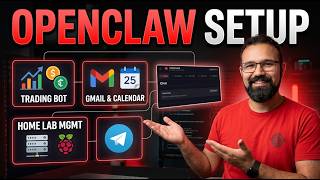
Users worldwide run OpenClaw for trading, home automation, work, development, and content creation. With CloudClaw, you can start all of this in 3 minutes — no installation required.
AI watches the market and trades on your behalf
More and more people are using OpenClaw to automatically analyze and trade stocks, crypto, and prediction markets. Monitor momentum scores, RSI, EMA alignment, and sentiment analysis in real time — get alerts via Telegram or auto-execute orders when conditions are met. Run it 24/7 on a dedicated CloudClaw server so you never miss a signal.


CloudClaw hosts OpenClaw 24/7 in the cloud. The only service where you can start all these use cases with a browser-based GUI.
Pricing
Frequently Asked Questions
>What is OpenClaw?
OpenClaw is an open-source AI agent platform. Give it commands through messengers like Telegram, Discord, or WhatsApp, and it performs real tasks — file management, coding, email handling, browser automation, and more. It's not a chatbot; it's an AI assistant that takes action.
>How is this different from buying a Mac mini?
Mac minis are currently sold out with 2–6 week shipping delays, and even after purchase you need hours of setup for the OS, OpenClaw, VNC, and security. CloudClaw costs $0 upfront, sets up in 3 minutes, and gives you browser-based GUI access automatically. You could be running OpenClaw before your Mac mini even ships.
>Why not just install on my own VPS?
Self-installing means configuring the OS, installing OpenClaw, setting up the desktop environment, VNC, and security — all manually. CloudClaw automates everything in 3 minutes, and it's the only service that includes browser-based GUI remote desktop access.
>What is Gateway authentication?
It's a security layer that prevents unauthorized access to your OpenClaw dashboard. CloudClaw Gateway verifies authentication on every request, so the dashboard is inaccessible without a valid token.
>Is my data safe?
Each user gets a fully isolated, dedicated VPS. You never share a server with other users. Multi-layer security includes Cloudflare protection, token-based authentication, and encrypted communication.
>Which messengers are supported?
All messengers supported by OpenClaw — Telegram, Discord, WhatsApp, and more. CloudClaw imposes no additional restrictions.
>What's the refund policy?
Full refund within 7 days of starting. You can cancel anytime from the dashboard.